

How to find a picture source when somebody else doesn’t bother
I’m often frustrated by unattributed images on Pinterest that seem to link back endlessly to source after source, but never to the originator of the image, but now I’ve got the solution, thanks to Pinterest user, Emma Busk, who told me about SRC-Img. This little bookmarklet sits on your bookmarks bar, and when you need it to, it will scour the Internet, finding a visual match for the image you’re after. Here’s how it works:
I found this unascribed image on Pinterest:
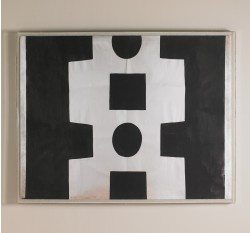
I pressed my src-img button to select the image:

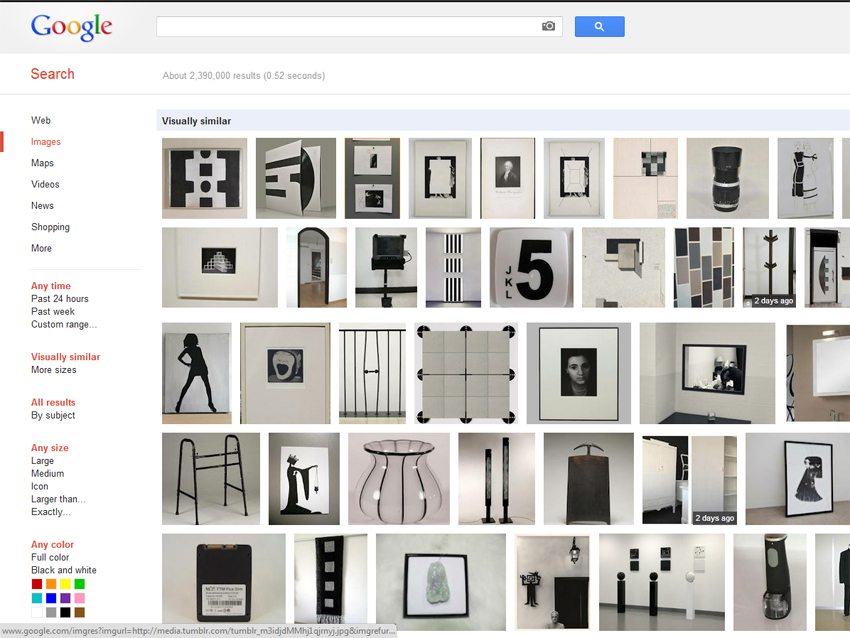
It came up with a number of links to articles, as well as this rather cool ‘visually similar’ option:
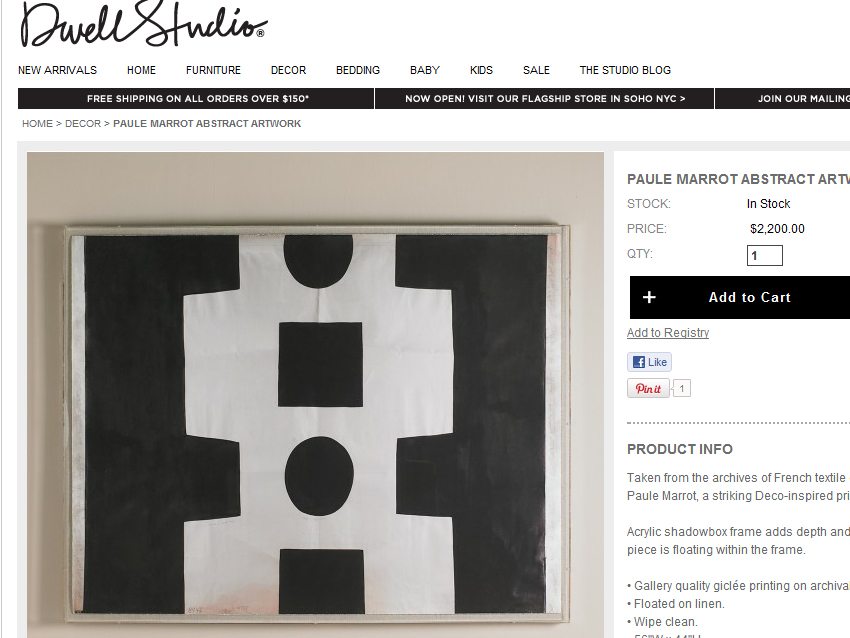
I selected one of the links, and discovered that the image was a release by Dwell Studio of a textile design by Paule Marrot. Find it here.
Download src-img here. It’s free. Thanks again, Emma.
Dan Rouse
Also, you can drag an image into the google images search field.
skinnylaminx
Thanks for this, Daniel. I never had a lot of luck with that way of doing things, but did hear that it worked well. Diana Moss also just told me about a Google Chrome web extention called Search By Image, which is good. See https://chrome.google.com/webstore/detail/dajedkncpodkggklbegccjpmnglmnflm.
xx
Marisa
Have been using this for a while and love it – especially the “visually similar” images it finds – sometimes a real treat.
Pam
What a fabulous resource – thanks Heather! I’ve tried TinEye before but it was not always reliable and a pain to use – this is much more satisfying.
Sprout
Thanks so much for this! Attribution is so important for sharing. As someone who has numerous pictures stolen, it’s nice to have a tool to help give credit to the image creators.
col @ hello olive
Wow, thanks for this – such a great tip!
alison
Awesome! Your blog post plus these comments have given me a few resources now. I have often not repinned something that I really liked simply b/c it had no credit and I didn’t want to further exasperate the problem. Thanks so much!
Dolly Ahern
The going to this effort and the passing on of the info is a simple action of your true-ness (even if it is just scratching your pininterest itch), which is one of the elemental reasons why we are all so attracted to your work and your blog. As with all things in life be it art, emotions, relationships…true truth truthfulness shines a big bright light that draws us in…sigh….
…..No more wine for me!
skinnylaminx
Dolly, thanks for this lovely comment! It really got my day started on a great note.
xx
jasmine
Brilliant!
Thanks a lot!
Natasha
This is great. I’ve only tried it on one pin that didn’t have a source, but so far it’s only finding pinterest and sites to blogs that found it on pinterest. I’ll keep trying.
lucykate crafts...
am going to give this a try. so many times on pinterest, i see an image but can’t find the original source as the trail runs dry at tumblr.
Kristy
Google also has an option for finding the original picture source. Just go to Google Images and paste in the URL and you can (usually) find the original source. http://www.google.com/insidesearch/features/images/searchbyimage.html
I’m looking forward to using this option as well!
Kristy
Ha! Sorry, just realized they are the same thing 😉
skinnylaminx
No worries! Thnanks for the tip anyway.
x